
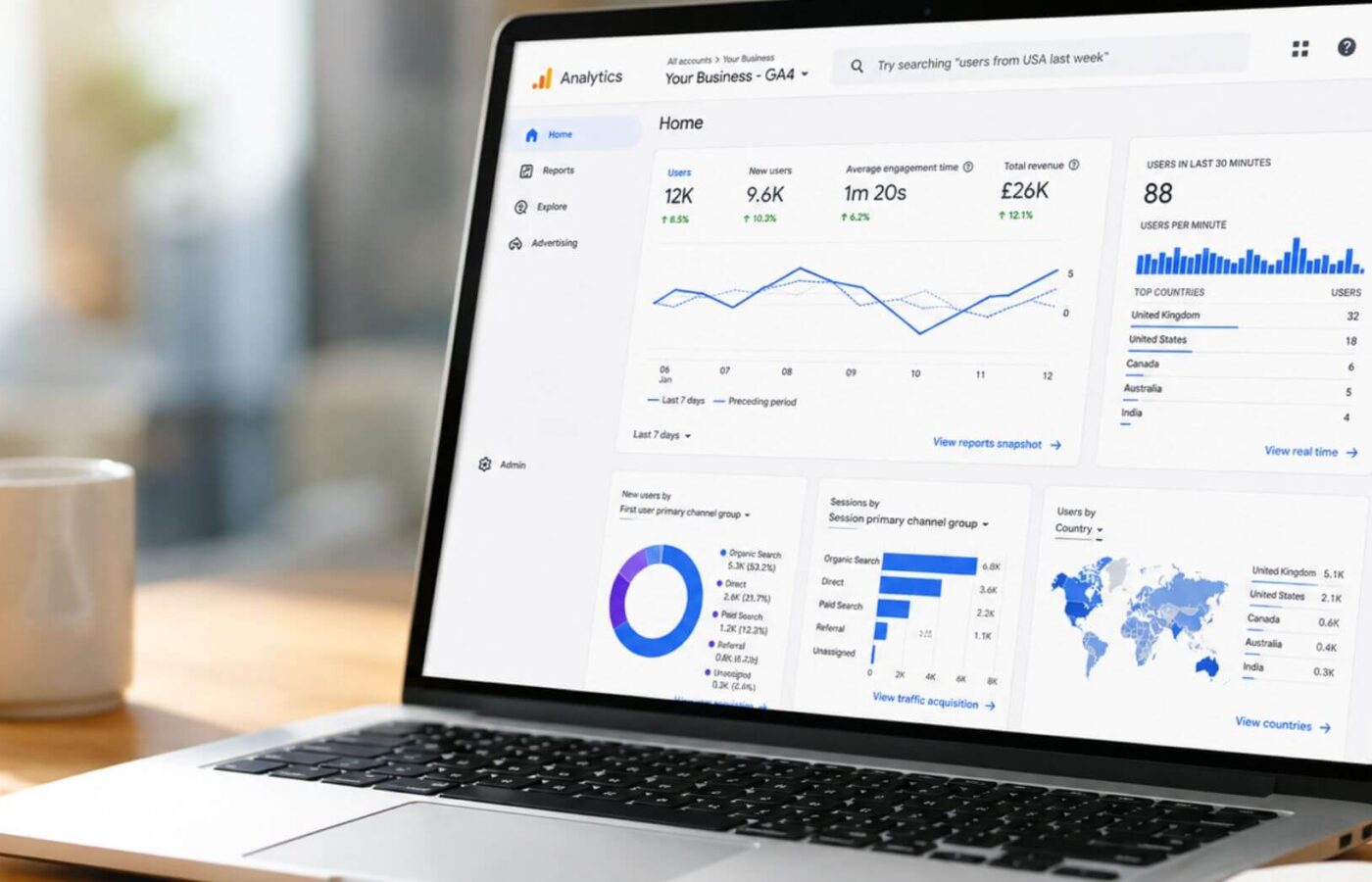
Understanding how users interact with your website is essential for making informed marketing decisions. Whether you want to understand where your visitors are coming from, which pages are performing best, or which marketing channels generate the most conversions, website analytics provides the insights needed to improve your online performance.
However, with the introduction of Google Analytics (GA4), many businesses have found analytics more difficult to navigate. However, understanding Google Analytics is an important step towards making better decisions based on real user data.
In this guide to Google Analytics, we’ll delve into how GA4 works, the key features you need to understand, and how your business can use it effectively to improve website performance.
What is Google Analytics 4?
GA4 is Google’s latest analytics platform, designed to help businesses better understand how users interact with their websites and apps. It replaced Universal Analytics as Google’s main analytics solution and introduced a new approach to collecting and analysing data.
Unlike Universal Analytics, which focused heavily on sessions and pageviews, GA4 uses an event-based measurement model. This means every interaction a user takes on your website can be recorded as an event, such as:
- Viewing a page
- Clicking a button
- Watching a video
- Downloading a resource
- Completing a form
- Making a purchase
This approach provides a more complete picture of the customer journey and helps businesses understand not just where users visit, but how they interact with their website.
For beginners learning Google Analytics, this change can initially feel unfamiliar, however GA4 offers greater flexibility and more detailed insights into user behaviour.
Google Analytics 4 vs Universal Analytics: What’s changed?
One of the biggest challenges for businesses learning Google Analytics is understanding how different GA4 is from Universal Analytics.
While both platforms measure website performance, GA4 has introduced several important changes, including:
Event-based tracking
Universal Analytics relied heavily on sessions, pageviews, and predefined interaction types. GA4 instead treats every user interaction as an event, providing more flexibility when measuring behaviour.
For example, rather than simply seeing that someone visited a page, GA4 allows you to understand the actions taken such as scrolling, clicking, downloading content, or completing specific actions.
Improved customer journey insights
GA4 focuses more heavily on understanding the complete user journey across different devices and platforms. This allows you to gain a clearer picture of how users discover, interact with, and convert with your brand.
More flexible reporting
GA4 introduced a more customisable reporting system, which allows you to create reports based on the information most important to your business.
While this provides more flexibility, it can also make the platform feel more complex for beginners. That’s why taking the time to understand the fundamentals of GA4 will help you get much more value from reports and the platform.
What are the key fundamentals of Google Analytics 4?
GA4 provides businesses access to a wide range of reports, metrics, and insights, but understanding which data is most valuable for you is key to learning Google Analytics and getting the most from the platform.
The below fundamentals of GA4 provide the foundation for using Google Analytics 4 effectively and making informed decisions based on real user behaviour.
Reporting
The Reports section is one of the most important areas within GA4 as it provides your business with insights into website traffic, user behaviour, and conversions. These reports offer a clear starting point for analysing website performance and identifying opportunities for improvement.
Some of the key reports to understand include:
- Acquisition reports – these help you understand where your website visitors are coming from. This includes traffic sources such as organic search, paid advertising, social media, referrals, and direct visits. Acquisition data helps you evaluate which marketing channels are driving the most valuable traffic and identify where there may be opportunities to improve performance.
- Engagement reports – this shows how users interact with your website once they arrive. Rather than simply measuring the number of visitors, these reports help you understand whether users are finding your content valuable and taking meaningful actions. You can analyse areas such as pages users view, time spent engaging with content, events completed, and interactions like clicks, downloads, or form submissions.
- User attributes reports – this provides insights into who your visitors are, which can help you build a better understanding of your audience. Depending on availability and user consent, these reports can include information such as location, language, demographics, and interests. Understanding your audience allows you to create more targeted campaigns and improve the overall experience of your website.
By regularly reviewing these reports, you can develop a clearer picture of how users discover and interact with your website, which allows you to make improvements based on real data rather than assumptions.
Events and conversion
One of the most important aspects of understanding Google Analytics 4 is knowing how to measure the actions that matter most to your business. Unlike Universal Analytics, GA4 uses an event-based tracking model, meaning user interactions are recorded as events rather than relying solely on pageviews and sessions.
Events allow you to track specific actions users take on your website, while conversions highlight the interactions that contribute directly towards business goals.
Some examples of conversions may include:
- Completing a contact form
- Making a telephone enquiry
- Signing up to a newsletter
- Downloading a resource
- Completing an online purchase
Setting up relevant events and conversions allows you to move beyond simply measuring website traffic and understand whether your website is achieving its objectives. This is particularly valuable for businesses looking to improve lead generation, ecommerce performance, or overall marketing effectiveness.
User behaviour
GA4 provides valuable insights into how users navigate and interact with your website. By analysing user behaviour, businesses can identify what’s working effectively and where improvements could be made.
For example, GA4 may reveal that:
- A blog page attracts a high volume of visitors but generates very few enquiries
- Users frequently leave after visiting a particular page
- A specific landing page achieves a higher conversion rate than others
- Visitors from certain marketing channels are more likely to complete valuable actions
These insights allow you to make data-driven improvements to your website and marketing activity. Rather than guessing what users want, GA4 provides evidence that can be used to improve content, navigation, user experience, and conversion rates.
What key metrics should you track?
When first learning how to use Google Analytics 4, it’s easy to become overwhelmed by the number of available metrics. However, focusing on the most important measurements will help you understand performance more effectively.
Here are some of the core metrics you should be tracking:
- Users – this represents the number of people who visit your website and will help you understand overall audience growth and reach.
- Sessions – although GA4 places less emphasis on sessions compared to Universal Analytics, this metric can still provide useful context as it represents periods of user interaction with your website.
- Engagement rate – this shows the percentage of sessions where users actively interacted with your website. This provides a better understanding of whether visitors are finding your content valuable.
- Events – this measures specific interactions users complete on your website, which provides deeper insight into behaviour beyond basic traffic numbers.
- Conversions – these measure the actions that contribute towards your business goals, helping you understand whether your website is generating meaningful results.
How to get started with Google Analytics 4
Getting started with GA4 doesn’t have to be overwhelming or complicated. If you focus on the above fundamentals and metrics, you can build your confidence with the platform over time.
Start by ensuring your GA4 account is correctly installed and collecting data. From there, you can identify key actions you want users to take and make sure these are being tracked correctly.
It’s also important to regularly review your reports rather than only checking analytics when something goes wrong. Consistent analysis helps you spot trends, identify opportunities, and make improvements based on real user behaviour.
Ultimately, for businesses learning Google Analytics, it’s not about understanding every feature immediately – it’s about focusing on the data that supports your goals so you can gradually build your knowledge.
Get expert help with Google Analytics
Google Analytics 4 provides businesses with powerful insights into website performance, but understanding how to use the platform effectively can take time. From setting up tracking correctly, to interpreting reports and identifying opportunities, having the right knowledge is essential.
At Fifteen, we help businesses make sense of their analytics data and use insights to improve their digital marketing performance. Whether you need support setting up GA4, understanding your reports, or creating a data-driven strategy, our team can help.
Get in touch with our digital team today for expert help with Google Analytics 4 and discover how better data can support your business growth.