

Worried you’ve got the same keyword in your account more than once and want a way to remove the duplicates? Adwords Editor is the tool for you! Adwords Editor allows you to find and edit duplicate keywords to really help your PPC campaign achieve success. Due to Adwords only showing one ad at a time from an advertiser, duplicate keyword can damage your ad performance. If two of your ads are using the same keywords, you’re not only competing against other advertisers, but you’re also competing against yourself. This will mean increase cost per click and lower performance metrics.
How do I find duplicate keywords?
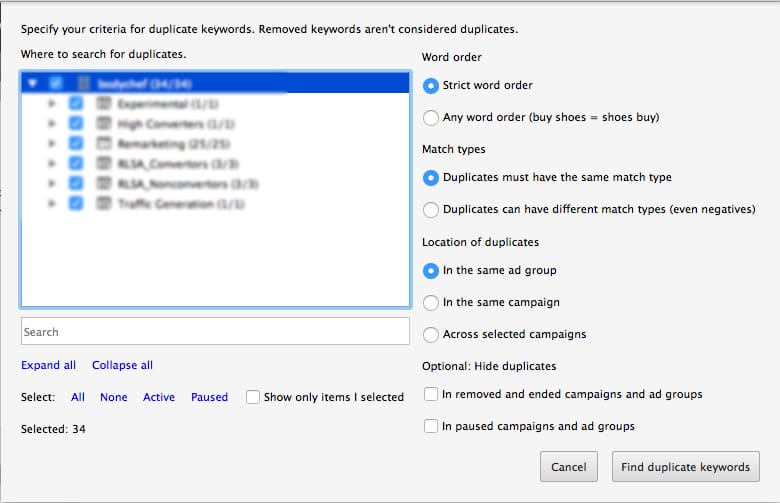
Go into ‘tools’ and select ‘find duplicate keywords’.
Then select the campaigns you’d like to sort and chose the level you’d like to drill down to, e.g any word order, campaign level etc.
As you can see, the duplicates then are listed and you can edit and remove them as appropriate. To exit this view, click ‘exit duplicates mode’.
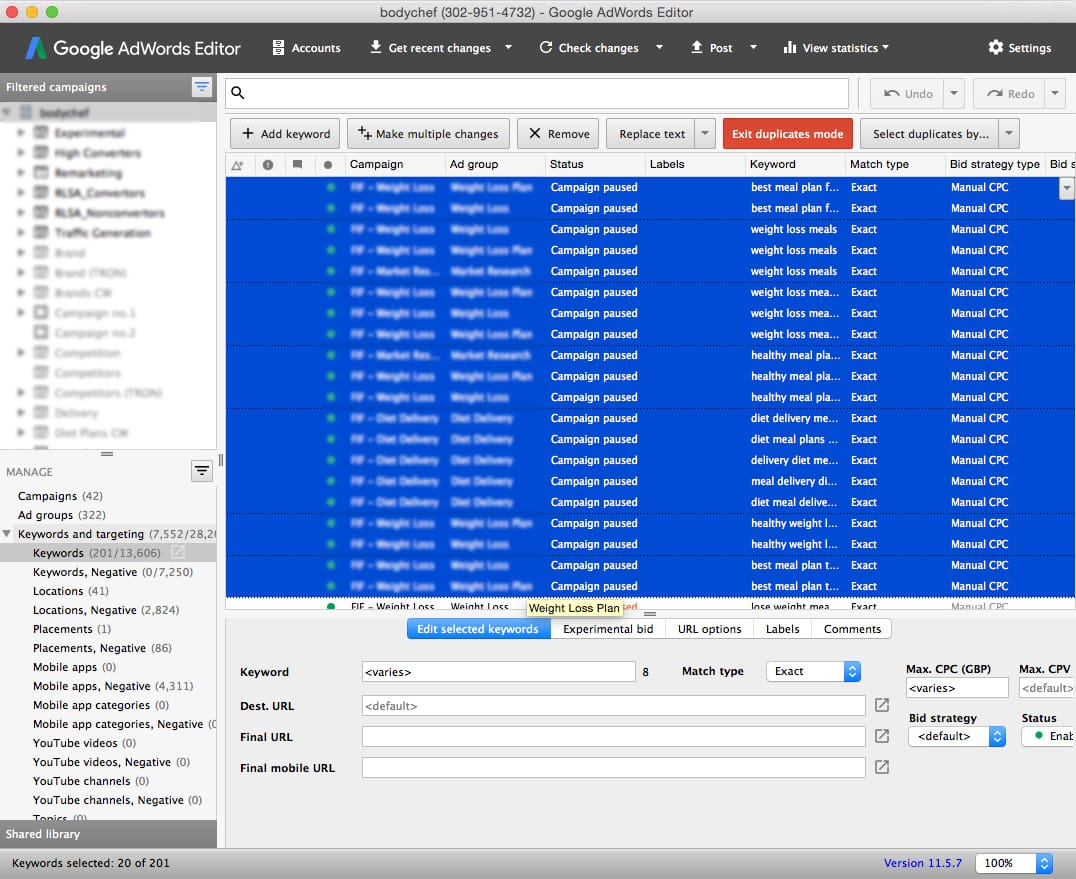
You can order your keywords by the following metrics:
- CTR
- Impressions
- Average Position
- Maximum CPC
- Average CPC
- Average CPM
- First page bid estimate
- Top of page bid estimate
- Quality Score